
Do you want to receive push notifications from Jiocinemausa.com for New Episodes
To be eligible for instant notifications ,you must be logged in user and have a valid subscription plan. You can create multiple playlists and active or deactivate notifications for that specific playlist. Further you can add your favorite tv shows to a specific playlist from single tv show page as showing in following screenshot.
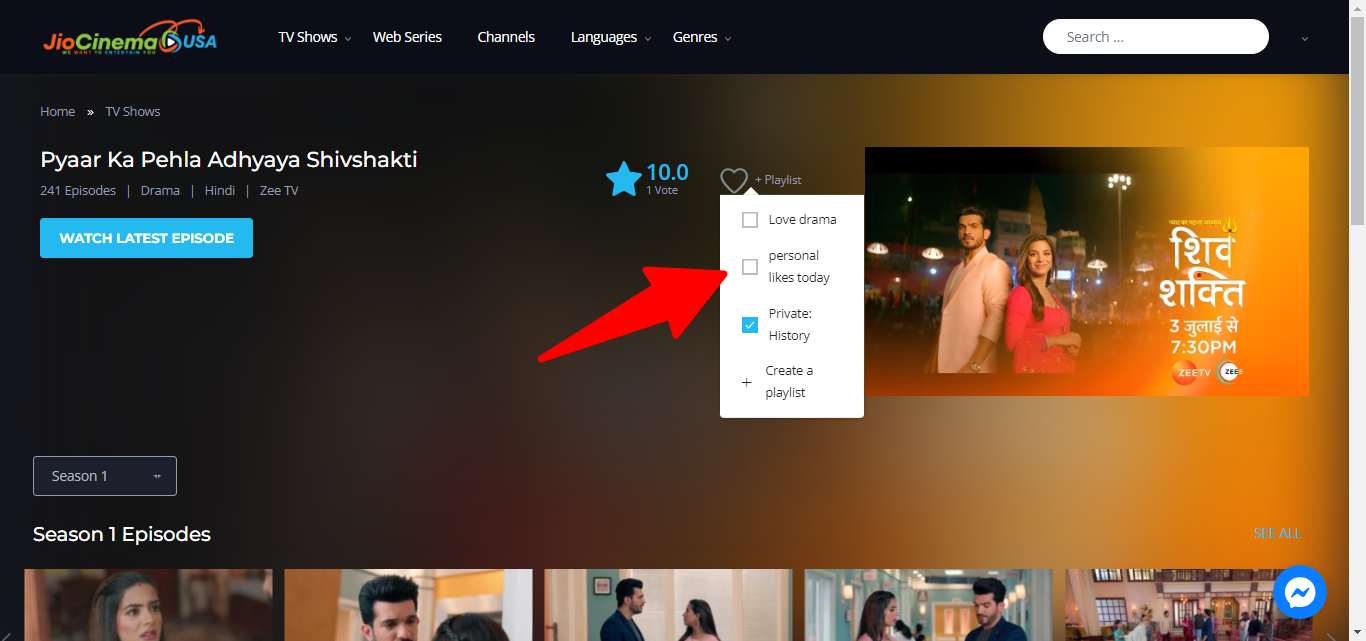
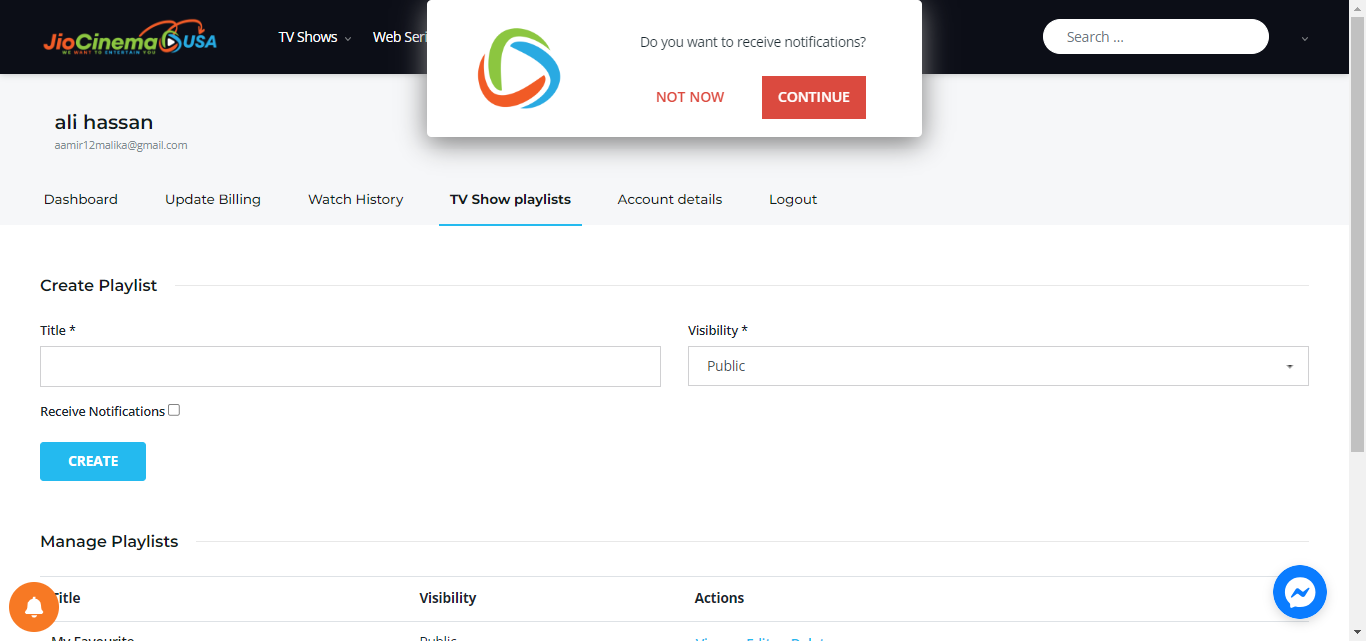
Whenever a new episode is posted within tv shows an instant notification will be sent to you if you have activated the notification and have active subscription plan. For this purpose after login you need to head towards tv show playlists page and accept web notifications as shown in the screen short.
Notifications can be enabled on iPhone, Android phones, in Safari, Edge, Chrome and Firefox browsers available on macOS and Windows platforms.
How do we activate notifications on iPhone (IOS)
Things are quite simple, we open www.jiocinemausa.com site in a new tab in Safari, go down/up in the bar and press the Share button followed by Add to Home Screen . The address and name will be filled in automatically, if you want you can change it, then press the Add button .
// screenshort spotThe application or bookmark to jiocinemausa.com will open separately “standalone” directly in full screen without opening Safari and appearing in a new tab as before. It closes like any other app in iOS by swiping up.
once you’ve saved it to your HomeScreen, you open it and head towards tv show playlists page after login a pop-up appears at the top asking you to accept or decline whether or not to receive notifications when new episodes are published.
// screenshort spotNotifications are active as long as you have the icon saved on your HomeScreen , when you delete it the permissions for notifications will also be removed. These are exactly the same as for apps in the App Store.
How do we enable notifications on macOS & Windows?
Very simply, we open Safari, Chrome, Firefox or Edge on one of these Apple or Microsoft platforms and access the website and after login head towards tv show playlists page where this notification will be displayed.
If we choose the No option , we will no longer receive this notification, only after we give a clear data & cookies or reset permissions in the browser settings or by clicking on the padlock next to the URL on the laptop. If yo click No, you can click on the Bell icon on bottom left to access this dialogue box again or uncheck the checkbox showing on bell icon to deactivate or remove device for receiving notifications.